Vietnamese
Fund certificate trading guideline
Fund certificate trading guideline at Shinhan Securities Vietnam
Customers can open a margin trading account on the San Xin Ha application in two ways
A. Open at the counter:
Please bring your Citizen ID / National ID / Passport to the Head Office or Branch of Shinhan Securities Vietnam for assistance.
- Head Office: 18th Floor, The Mett Building, 15 Tran Bach Dang Street, An Khanh Ward, Ho Chi Minh City
- Branch: 2nd Floor, Leadvisors Building, 41A Ly Thai To Street, Hoan Kiem District, Hanoi
B. Open an online account:
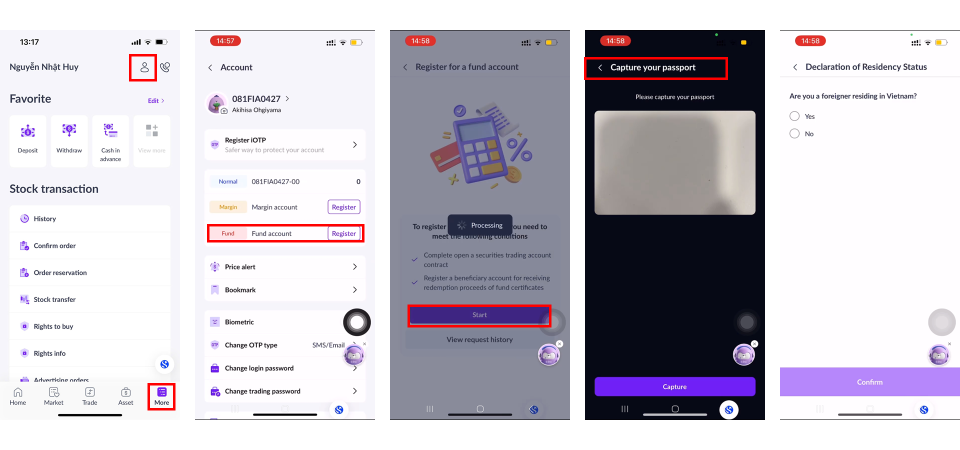
- Step 1: On the [Home] / [More] screen, select
 icon.
icon. - Step 2: Under Account screen, select Fund Account, click Register, and choose Start.
- Step 3: Verify your information as follows:
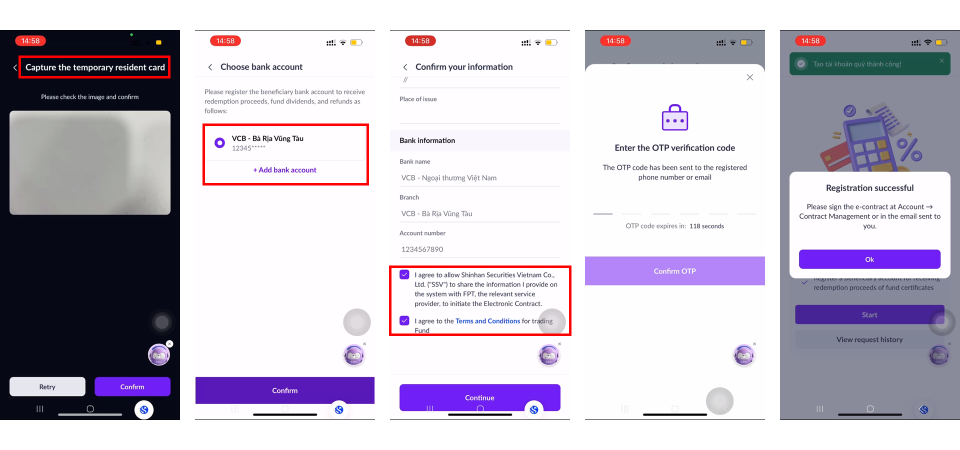
+ For domestic individuals: You are required to perform NFC scanning if your account has not completed identity verification before.
+ For foreign individuals: You are required to capture passport images in accordance with the in-app instructions.
- Step 4: Register or select a beneficiary bank account for fund certificate trading.
- Step 5 Review the registration information and confirm [Agree] to the Fund Certificate opening and SSV terms & conditions.
- Step 6: Enter the OTP to confirm the registration and complete the electronic contract signing.
- Step 7: Begin trading after receiving a successful account opening notification via Email/SMS/ZNS.
A. Buy Orders
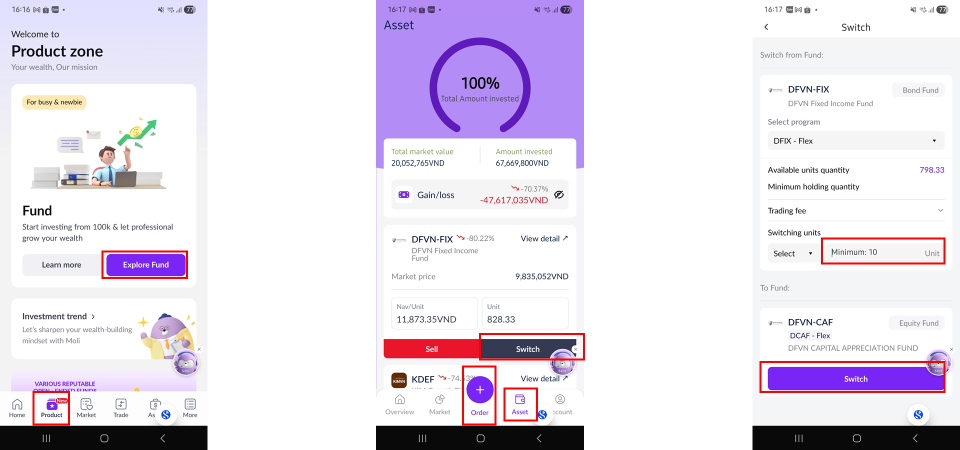
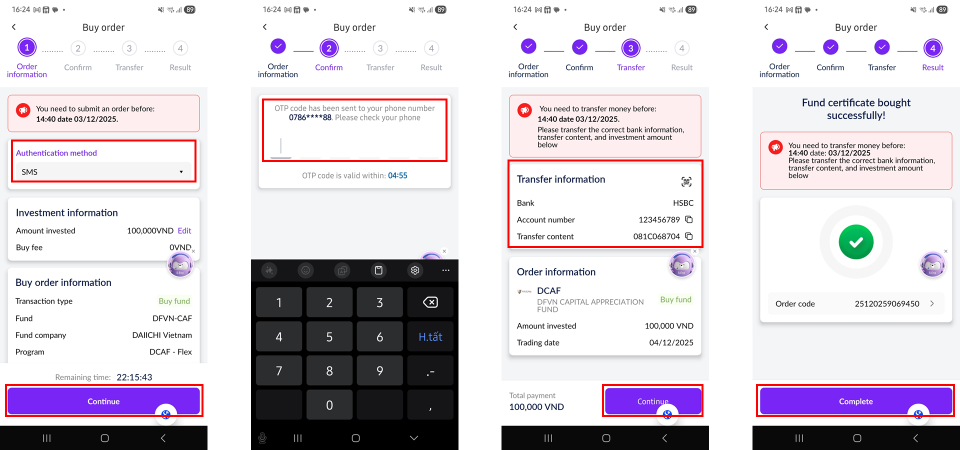
- Step 1: Log in to the San Xin Ha application, select [Products], and choose [Explore Funds].
- Step 2: Select and place a fund certificate buy order using one of the following methods:
+ Select [Order], then choose [Buy]; or;
+ Select [Market], choose the fund certificate, and tap [Buy].
- Step 3: Review the fund information and transaction fees, then tap [Order] to proceed.
- Step 4: Enter the amount invested (please note the required minimum buy amount), then tap [Order].
- Step 5: Select the order confirmation method and tap [Continue].
- Step 6: Enter the OTP to confirm the order.
- Step 7: Transfer the purchase amount and tap [Continue]. The order will only be matched after the client completes the fund transfer within the prescribed time period.
- Step 8: Tap [Complete] to finalize the order. The buy order will be displayed under [Pending Order].
- Step 9: Once the order is successfully matched, you will receive a notification via email.

B. Sell Orders:
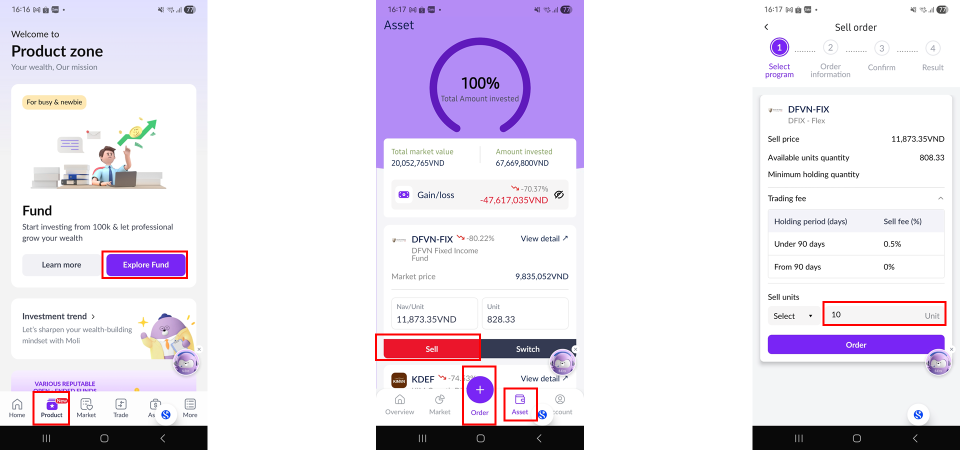
- Step 1: Log in to the San Xin Ha application, select [Products], and tap [Explore Funds].
- Step 2: Select and place a fund certificate sell order using one of the following methods:
+ Tap [Order], then choose [Sell]; or
+ Select [Assets], choose the fund certificate to sell, and tap [Sell].
- Step 3: Review the fund information and transaction fees, then tap [Order] to proceed.
- Step 4: Enter the quantity of fund certificates to sell (please note the required minimum quantity), then tap [Order].
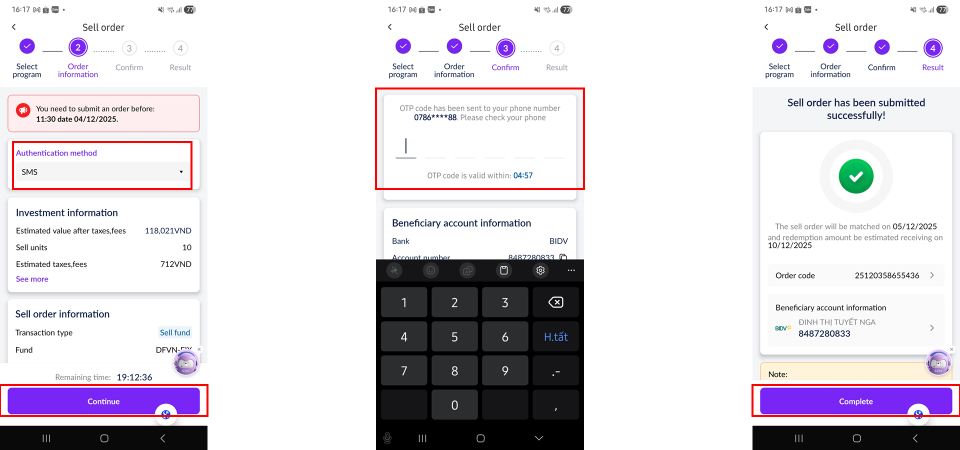
- Step 5: Select the order confirmation method and tap [Continue].
- Step 6: Enter the OTP to confirm the order
- Step 7: Tap [Complete] to finalize the order. The sell order will be displayed under [Pending Order].
C. Switch Orders
- Step 1: Log in to the San Xin Ha application, select [Products], and tap [Explore Funds].
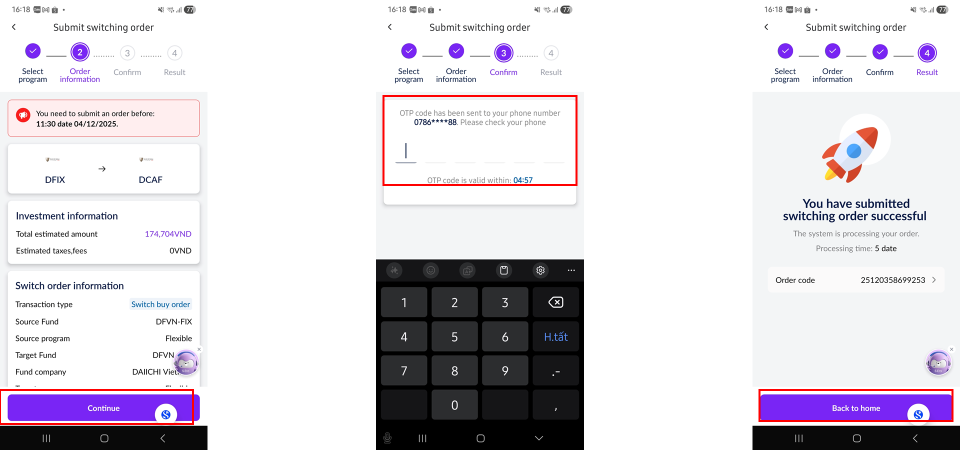
- Step 2: Under [Assets], select [Switch].
- Step 3: Review the fund information and transaction fees.
- Step 4: Enter the quantity of fund certificates to switch (please note the required minimum quantity), then tap [Switch].
- Step 5: Tap [Continue], then enter the OTP to confirm the switch.