
1. E-contract Management
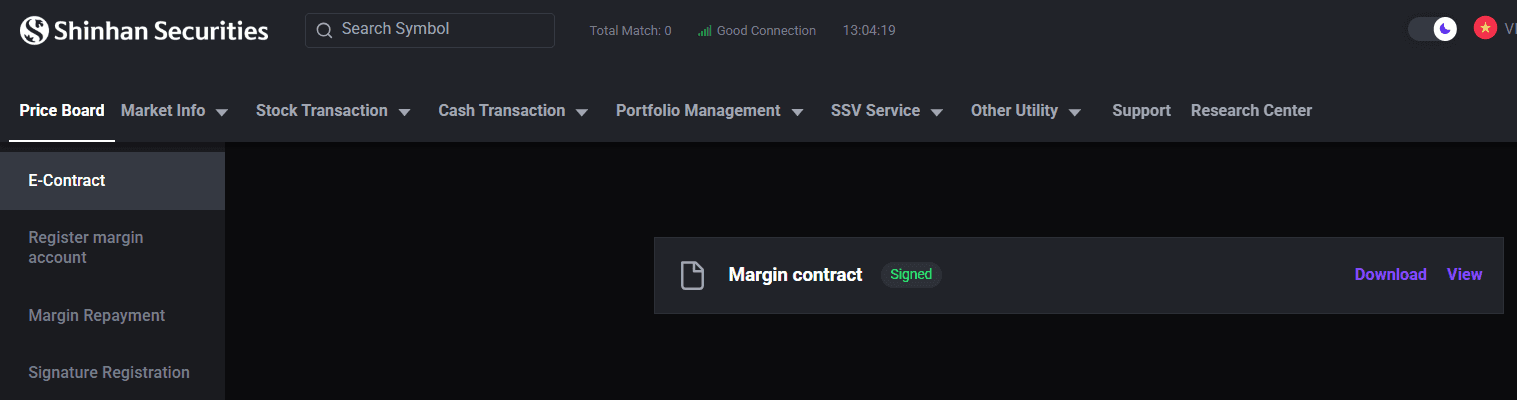
The [E-contract] screen allows investors to review e-contract which signed with SSV.
Step 1: On the [Home] screen, select [SSV Service] tab.
Step 2: Choose [E-contract].
Step 3: Tap on the specific contract to review its details.
2. Margin Trading Registration
To register for margin trading online, investors must complete the process via the San Xin Ha application.
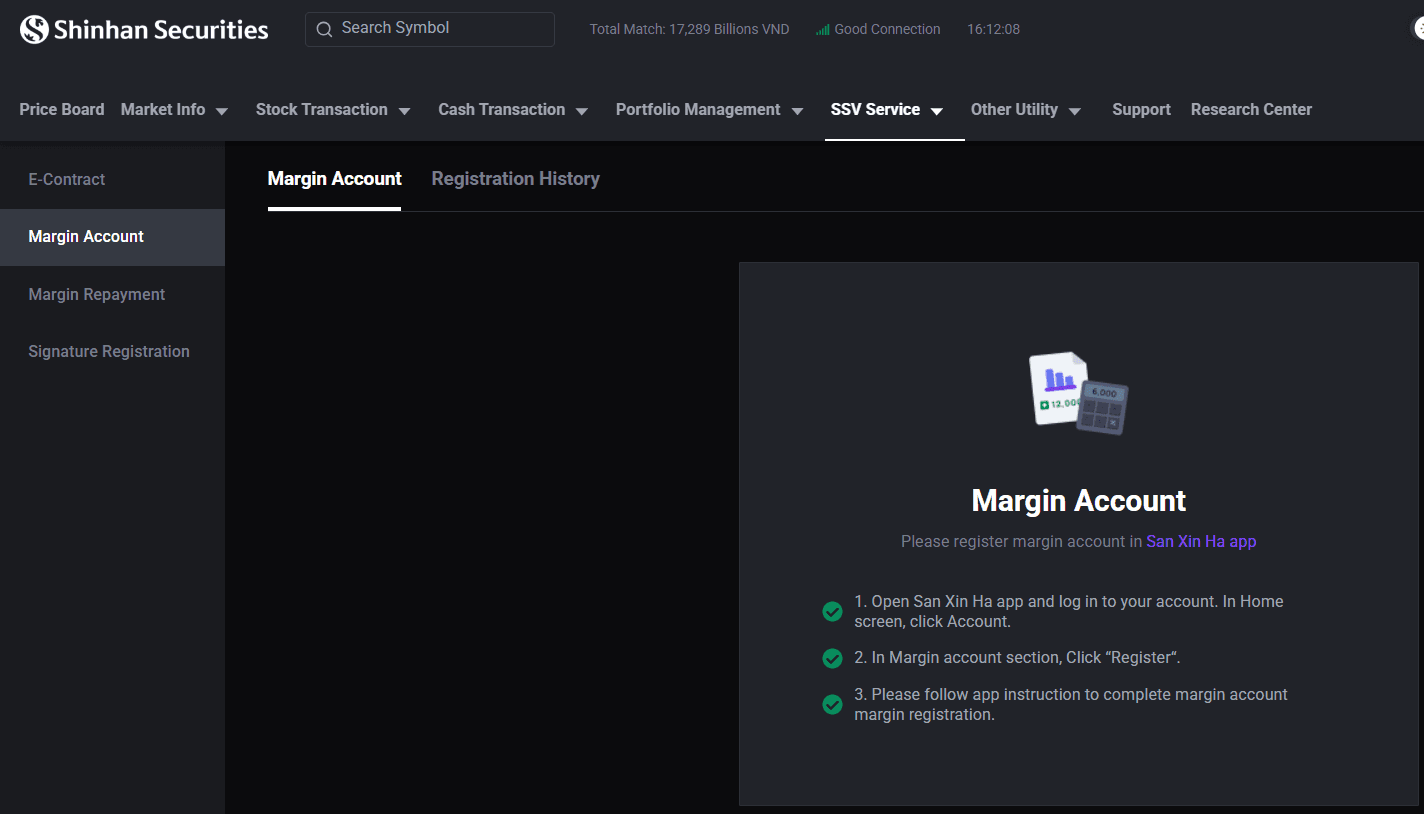
Lưu ý:
The margin trading registration feature is only available to individual investors who have successfully completed eKYC verification with SSV.
Online margin trading registration is not available to foreign investors.
The device used for registration must support both NFC scanning and camera functionality.
In cases where the investor is classified as an Insider, a Related Party of an Insider, or a Major Shareholder, full disclosure must be provided to allow SSV to record the information and ensure compliance with disclosure regulations applicable to this group.
3. Margin Repayment
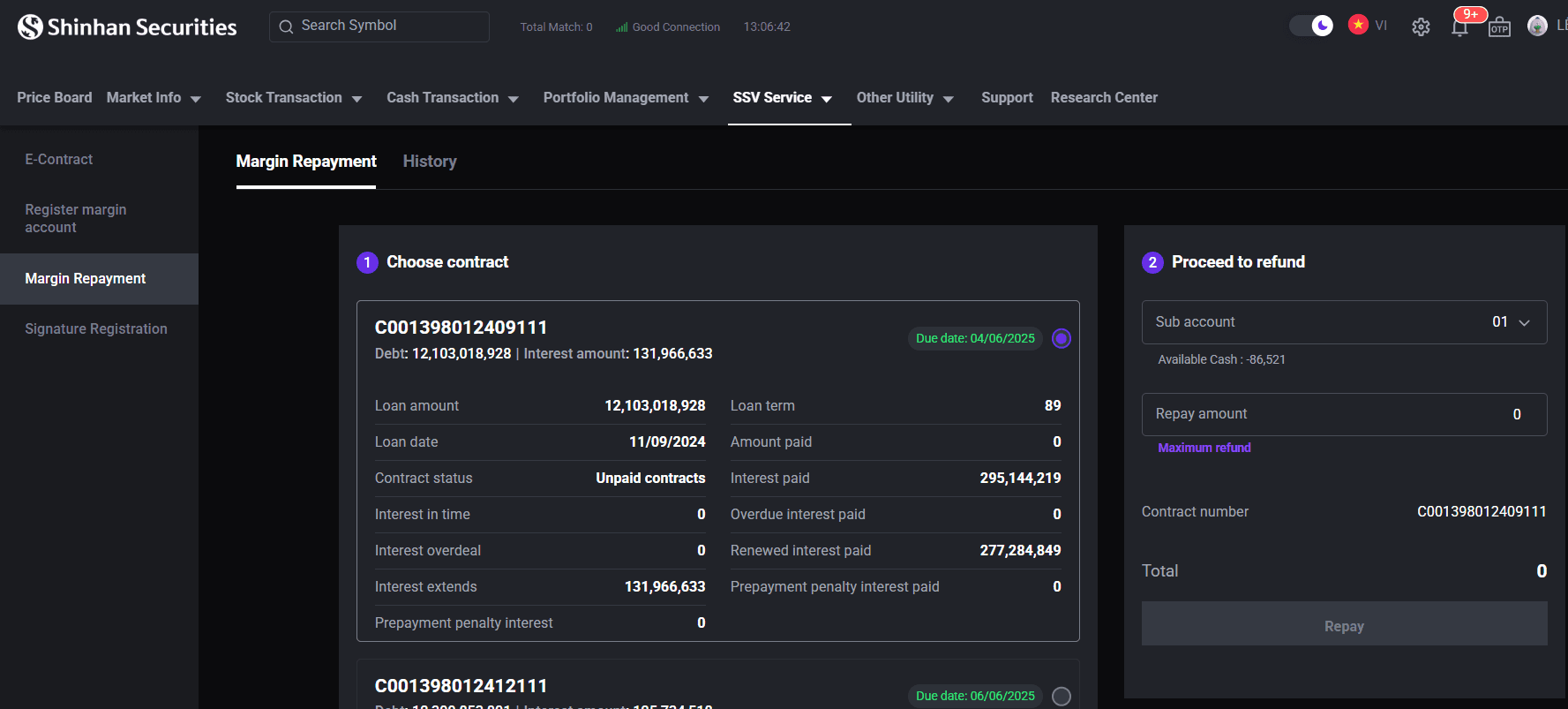
Step 1: On the [Home] screen, select [SSV Service] tab.
Step 2: Choose [Margin Repayment].
Step 3: Choose the applicable margin contract for repayment.
Step 4: Enter the repayment amount, or select [Maximum Refund] to apply the entire available balance toward repayment.
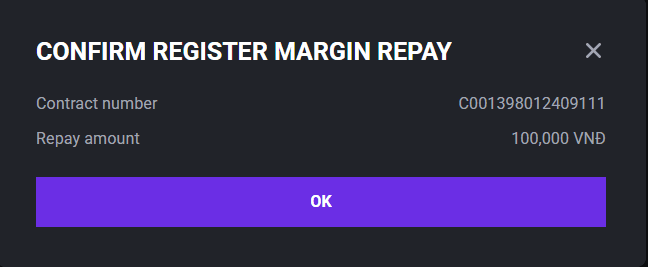
Step 5: Confirm the margin repayment and enter the OTP code to proceed.
Step 6: Access the [History] section to view your margin repayment history.
4. Signature Registration
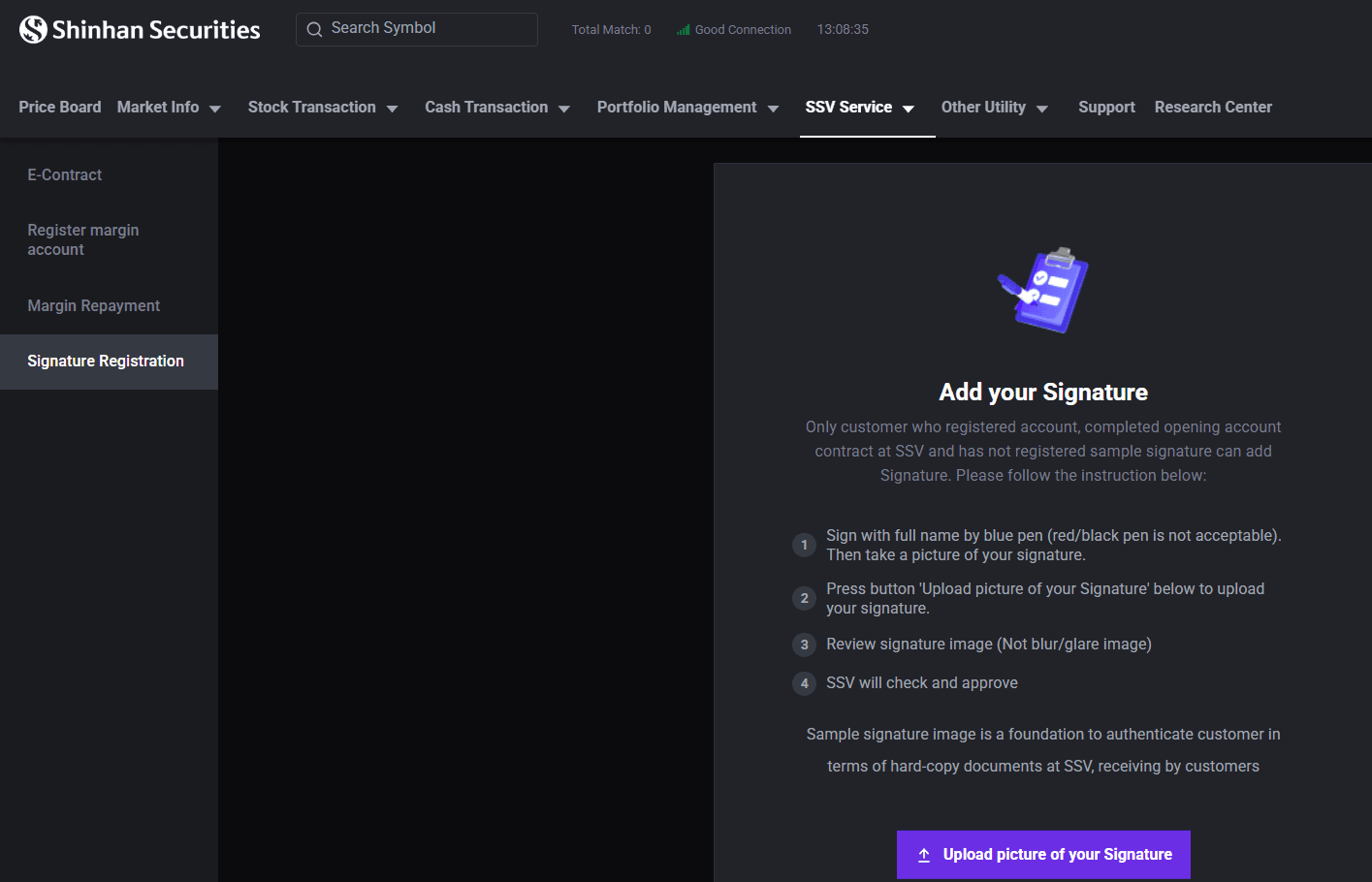
Step 1: On the [Home] screen, select [SSV Service] tab.
Step 2: Tap [Signature Registration].
Step 3: Click [Upload Picture Of Signature] to upload your signature.
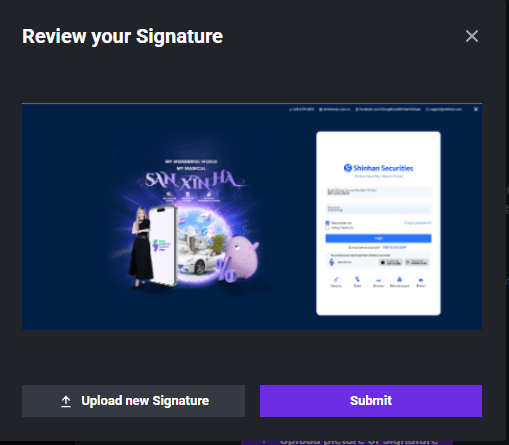
Step 4: Review the uploaded image to ensure it is complete and clearly visible, then tap [Submit].
Step 5: Enter the OTP code as required to confirm the registration and wait for approval from SSV.
Updated: 19 Sept 2026