
1. Cash Deposit
Step 1: On the [Cash Transactions] screen, select [Cash Deposit].
Step 2: Choose either [Virtual Deposit] or [Normal Deposit].
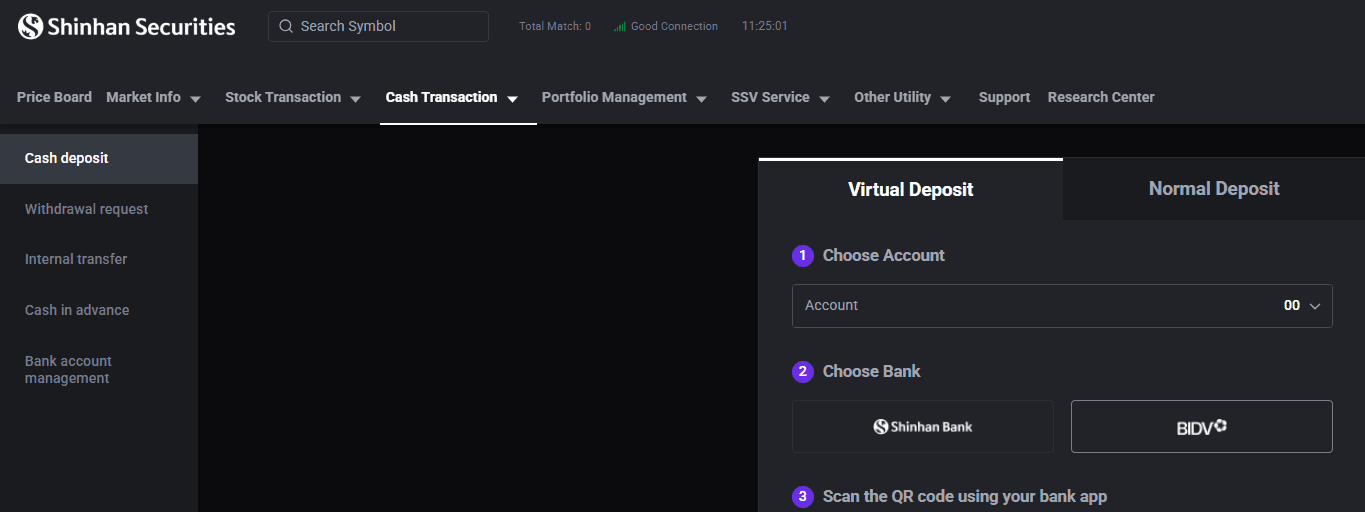
Step 3: Select the sub-account to which the deposit will be applied.
Step 4: Use your mobile banking app to scan the QR code and complete the transfer, or manually enter the deposit details into your bank's payment interface.
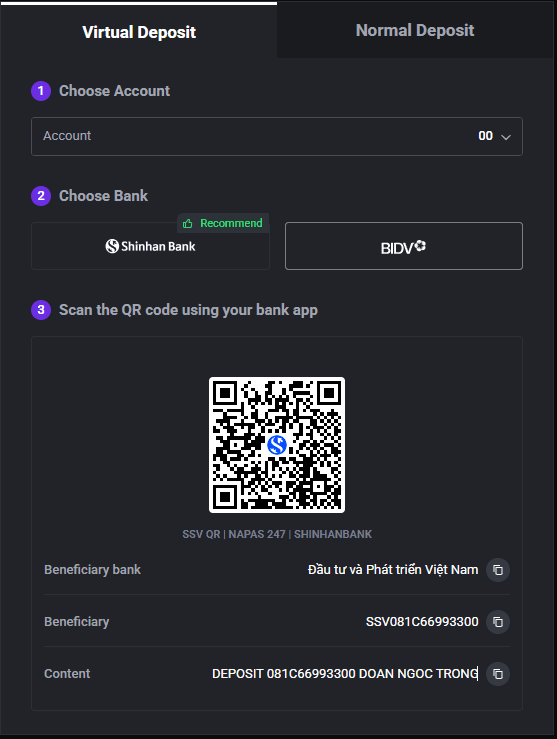
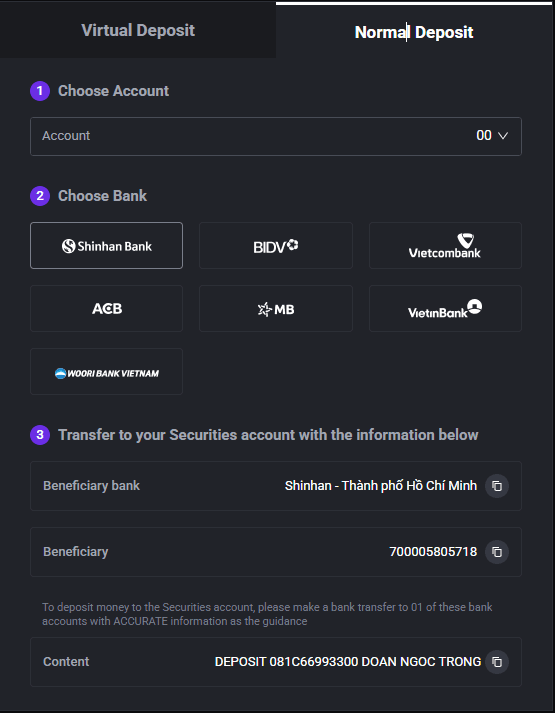
Note:
If a transfer has been made but funds have not yet been credited to the account, investors should save the transfer receipt and send it to support@shinhan.com for further assistance.
2. Cash Withdrawal Request
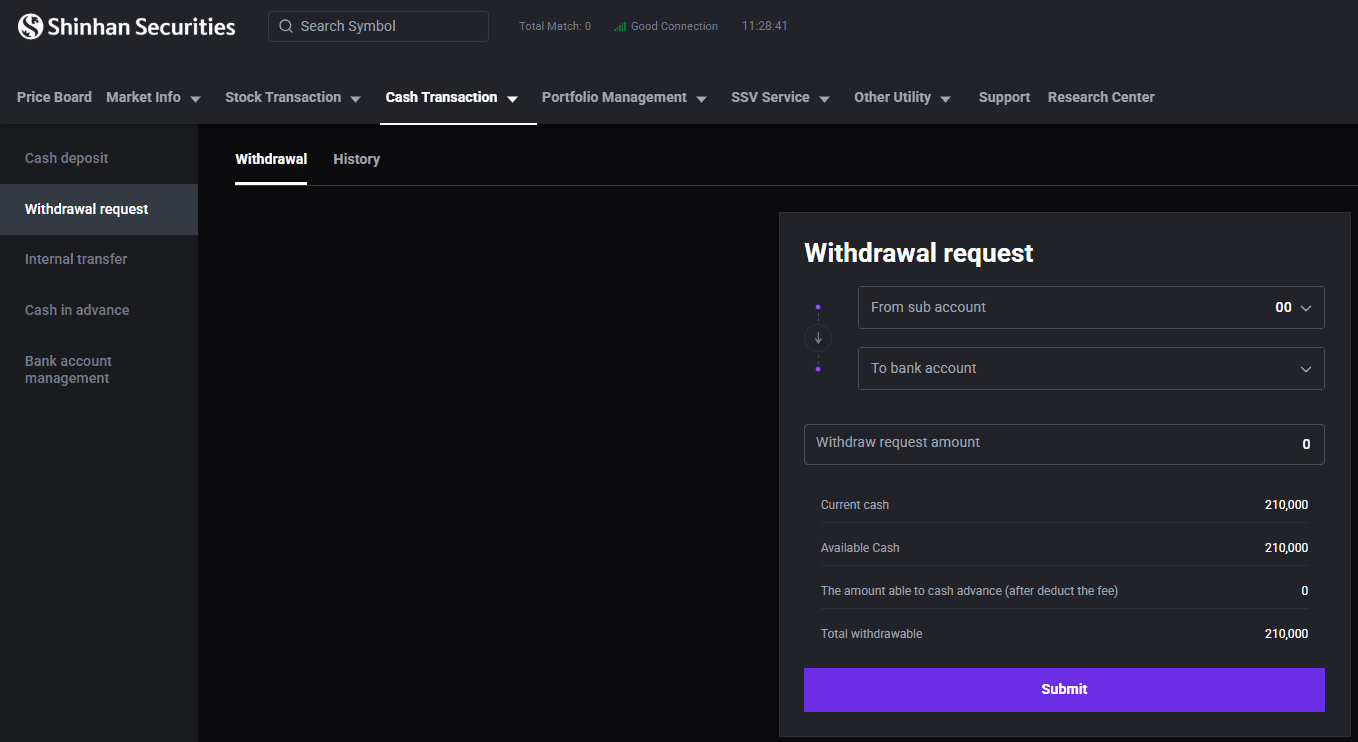
Investors can submit a request to withdraw cash to their registered bank account.
Step 1: On the [Cash Transaction] screen, select [Withdrawal Request].
Step 2: Choose the bank account to process the withdrawal.
Step 3: Enter the amount to withdraw.
Step 4: Enter the OTP code to confirm the withdrawal.
Step 5: Go to the [History] section to view your withdrawal history.
3. Internal Cash Transfer
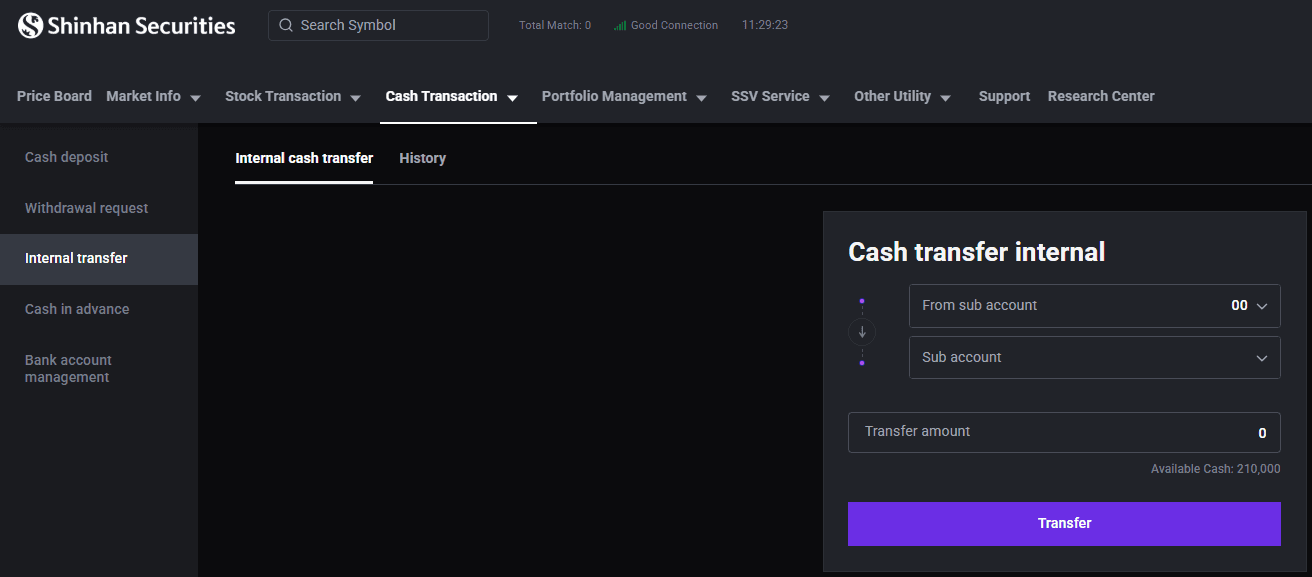
Step 1: On the [Cash Transaction] screen, select [Internal Transfer].
Step 2: Select the source and receiving sub-accounts.
Step 3: Enter the amount to be transferred.
Step 4: Click [Transfer] to proceed with the transfer.
Step 5: Enter the OTP code to confirm the transfer.
Step 6: Access [History] to view internal transfer history.
4. Cash In Advance
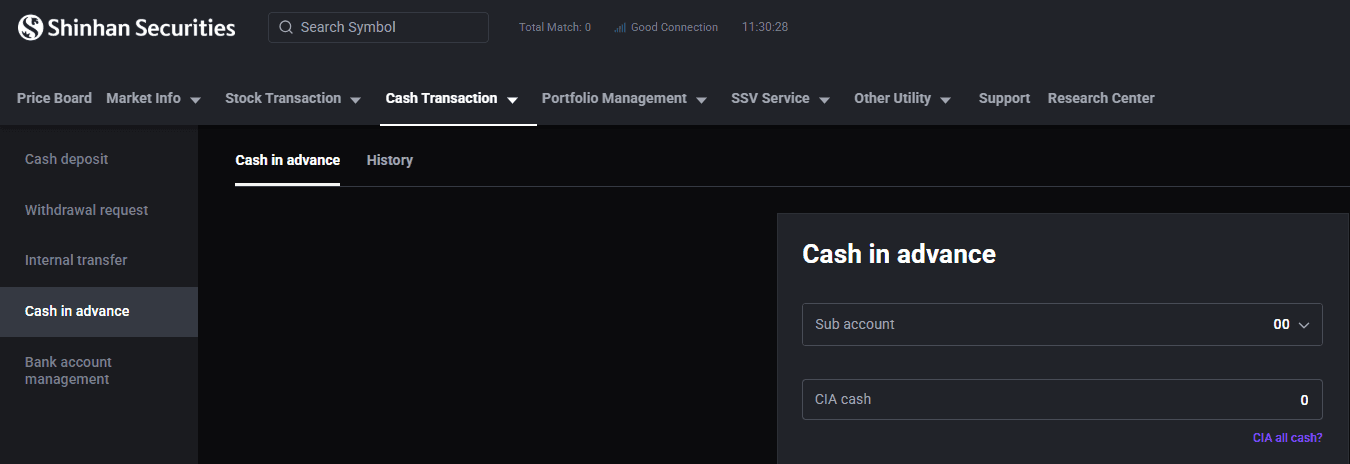
Step 1: On the [Cash Transactions] screen, select [Cash In Advance] tab.
Step 2: Select the sub-account to proceed with the request.
Step 3: Check the available amount eligible for advance request.
Step 4: Enter the amount to request or tap [CIA All Cash] to request the full available amount.
Step 5: Tap [Submit Request] and enter the OTP code to confirm.
Step 6: Go to the [History] section to view your cash in advance transaction history.
Notes:
Fees for Cash in Advances are applied based on the fee schedule in effect at SSV at the time of transaction.
Automatic advance payment of sale proceeds is not applicable to foreign investors.
5. Bank Account Management
Investors can manage their linked bank accounts for withdrawal purposes.
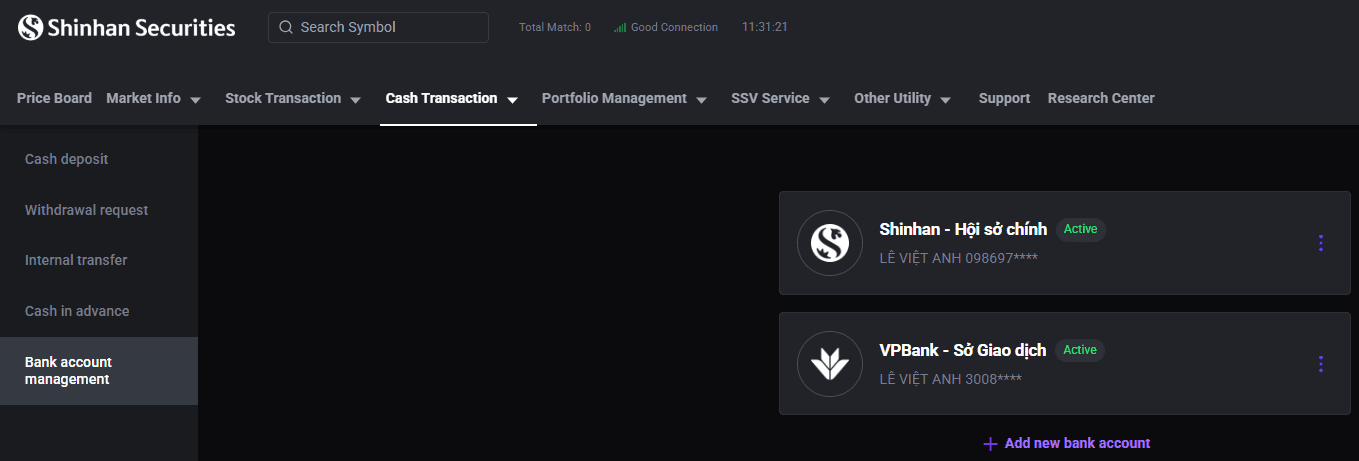
Step 1: On the [Cash Transaction] screen, select [Bank Account Management] tab.
Step 2: Click [Add Bank Account] to register a new bank account or tap the icon
 and choose [Delete] to remove a registered account.
Updated: 19 Sept 2026