
1. Place a Regular Order
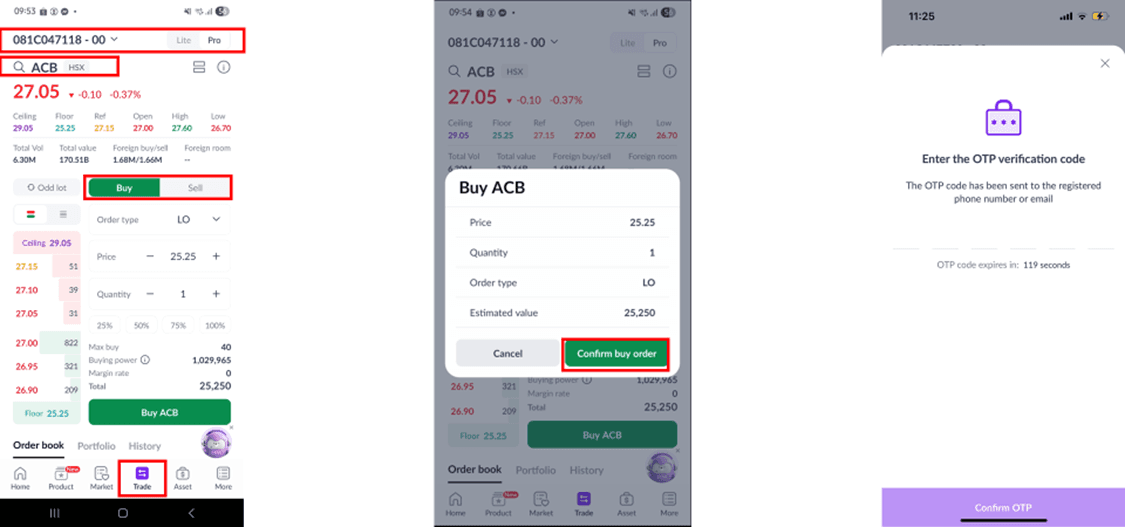
A regular order is a trade order executed during specified trading hours. To place a regular order, follow these steps:
Step 1: On the main screen, select [Trade] to start placing an order.
Step 2: Choose the trading sub-account: [00 – Cash Sub-account] or [01 – Margin Sub-account].
Step 3: Select the stock symbol you wish to trade.
Step 4: Tap the [Buy/Sell] button.
Step 5: Choose the [Order Type], specify the [Buy/Sell Price] for a Limit Order (LO), and enter the [Quantity].
Step 6: Confirm the trade order and enter the OTP code to place the order.
Alternatively, you can place an order by tapping the [Buy] or [Sell] buttons within the stock details section in 7.4.
Notes:
To trade Odd Lots, please enter the quantity of shares accordingly.
The order screen includes the following information: Lite/Pro interface options (1), Max Buy/Sell share quantity (2), Buying power (3), Margin rate (displayed for sub-account 01 only) (4), Estimated value (5)
If you need additional details, tap the [Stock Info] button to view in-depth stock information (charts, fundamental indicators, company details, etc.).
Foreign investors cannot trade on the margin sub-account (01) due to current securities regulations.
2. Order reservation
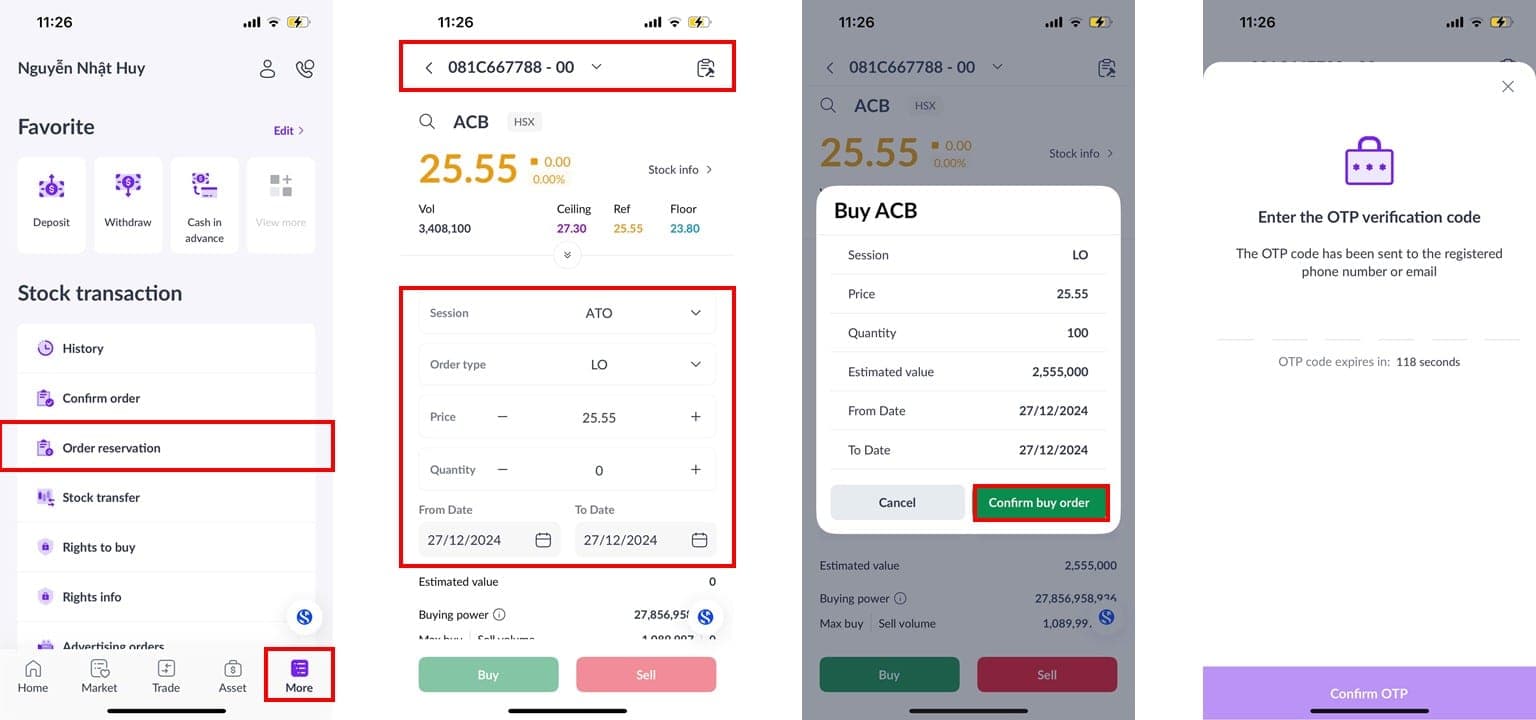
Step 1: Select [More], then choose [Order reservation].
Step 2: Choose the trading sub-account: [00 – Cash Sub-account] or [01 – Margin Sub-account].
Step 3: Select the stock symbol you wish to trade.
Step 4: Tap the [Buy/Sell] button.
Step 5: Choose the [Session].
Step 6: Select [Order Type], specify the [Buy/Sell Price] for a Limit Order (LO), and enter the [Quantity].
Step 7: Choose the time range for the order. Notes: The From Date must always be earlier than or equal to the To Date.
Step 8: Confirm the trade order and enter the OTP code to place the order.
3. Cancel/ Edit Order and Check Order Status
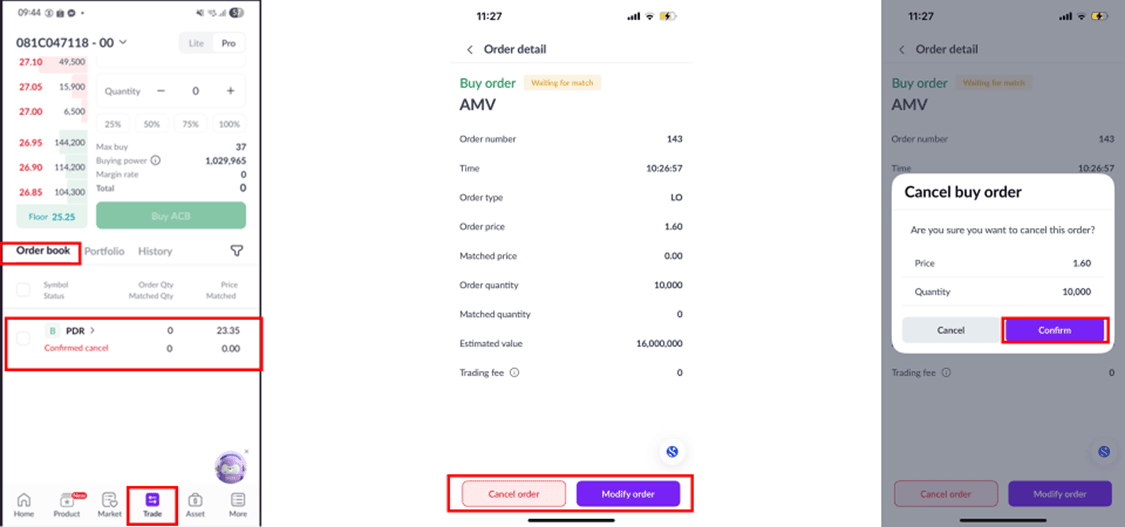
Step 1: In the [Trade] section, select the [Order Book] button.
Step 2: Choose the trading sub-account: [00 – Cash Sub-account] or [01 – Margin Sub-account].
Step 3: Select the order type [Buy/Sell] and [Status] to track the status of the order.
Step 4: Tap the [Details] arrow button of the order.
Step 5: Choose the [Cancel Order] or [Modify Order] button as needed.
Step 6: Confirm the action.
Notes:
For detailed trading regulations, please refer to this link.
Updated: 19 Sept 2026