
1. Placing Orders / Switching open-end fund
A. Buy Orders
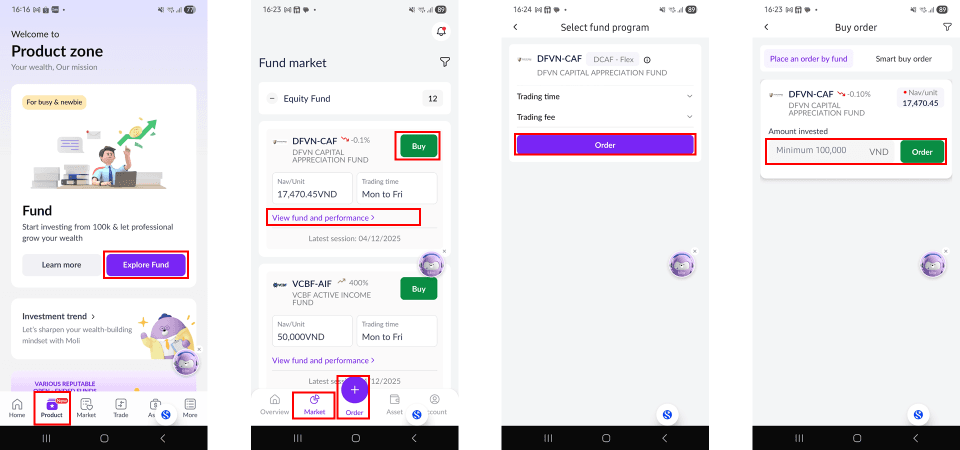
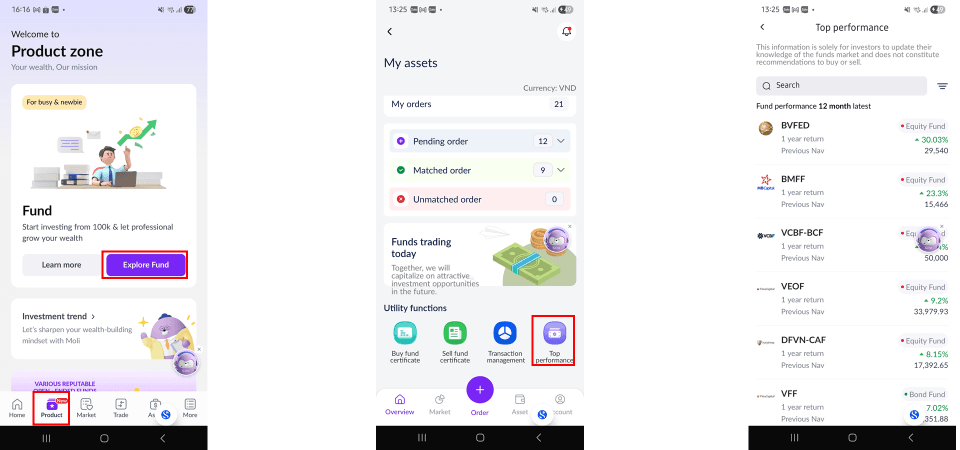
Step 1: Log in to the San Xin Ha application, select [Products], and choose [Explore Funds].
Step 2: Select and place a fund certificate buy order using one of the following methods:
+ Select [Order], then choose [Buy]; or;
+ Select [Market], choose the fund certificate, and tap [Buy].
Step 3: Review the fund information and transaction fees, then tap [Order] to proceed.
Step 4: Enter the amount invested (please note the required minimum buy amount), then tap [Order].
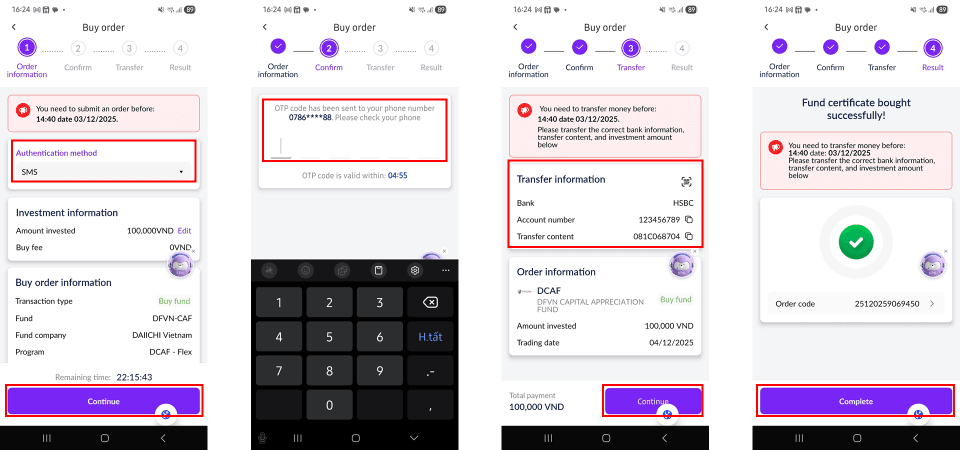
Step 5: Select the order confirmation method and tap [Continue].
Step 6: Enter the OTP to confirm the order.
Step 7: Transfer the purchase amount and tap [Continue]. The order will only be matched after the client completes the fund transfer within the prescribed time period.
Step 8: Tap [Complete] to finalize the order. The buy order will be displayed under [Pending Order].
Step 9: Once the order is successfully matched, you will receive a notification via email.
B. Sell Orders:
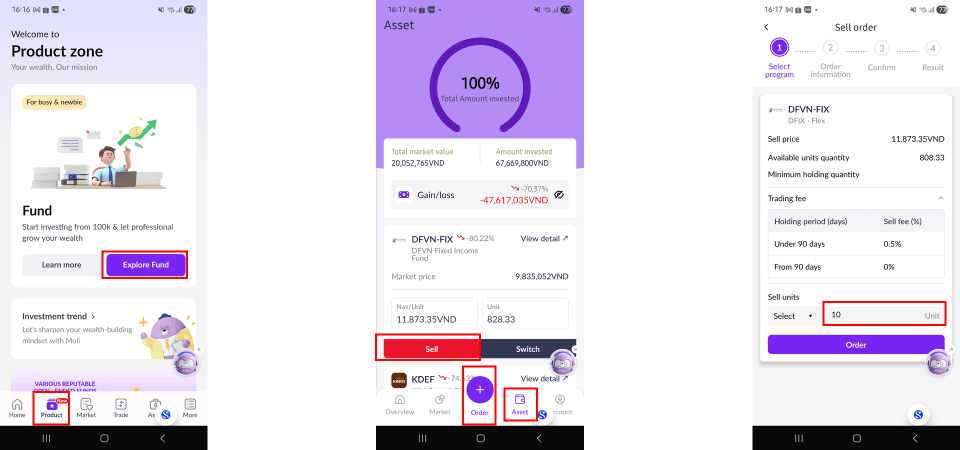
Step 1: Log in to the San Xin Ha application, select [Products], and tap [Explore Funds].
Step 2: Select and place a fund certificate sell order using one of the following methods:
+ Tap [Order], then choose [Sell]; or
+ Select [Assets], choose the fund certificate to sell, and tap [Sell].
Step 3: Review the fund information and transaction fees, then tap [Order] to proceed.
Step 4: Enter the quantity of fund certificates to sell (please note the required minimum quantity), then tap [Order].
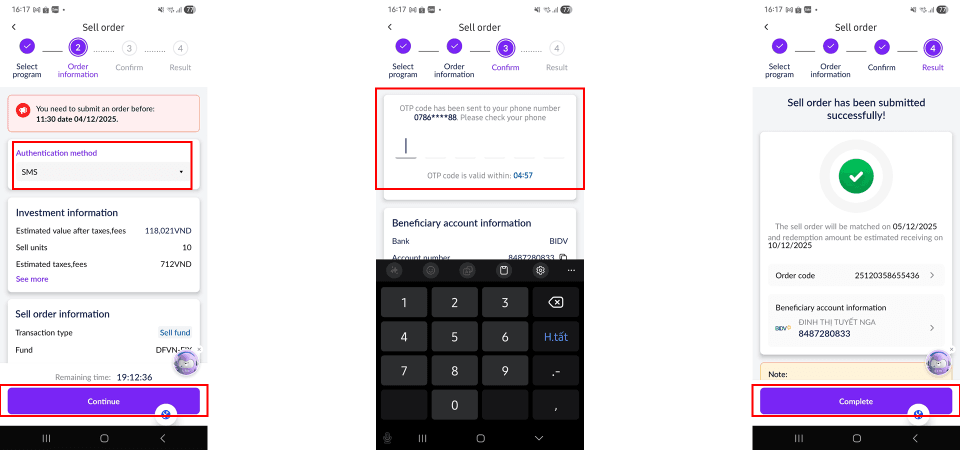
Step 5: Select the order confirmation method and tap [Continue].
Step 6: Enter the OTP to confirm the order
Step 7: Tap [Complete] to finalize the order. The sell order will be displayed under [Pending Order].
C. Switch Orders
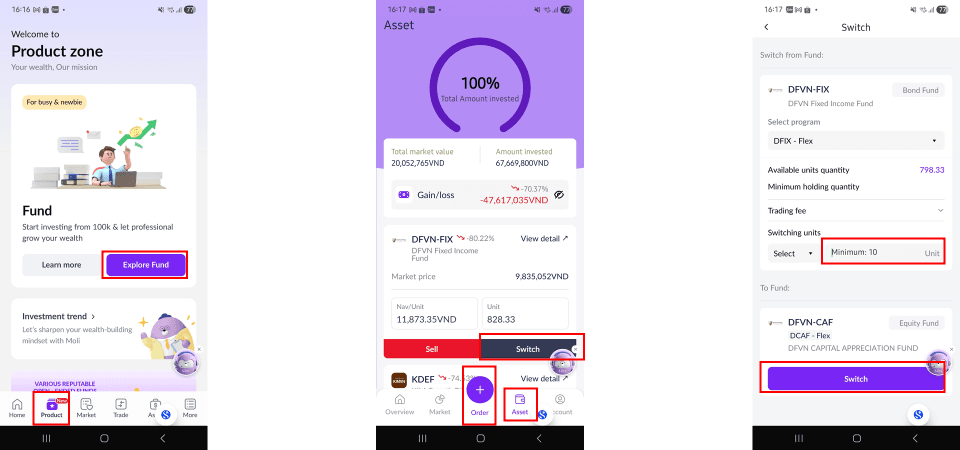
Step 1: Log in to the San Xin Ha application, select [Products], and tap [Explore Funds].
Step 2: Under [Assets], select [Switch].
Step 3: Review the fund information and transaction fees.
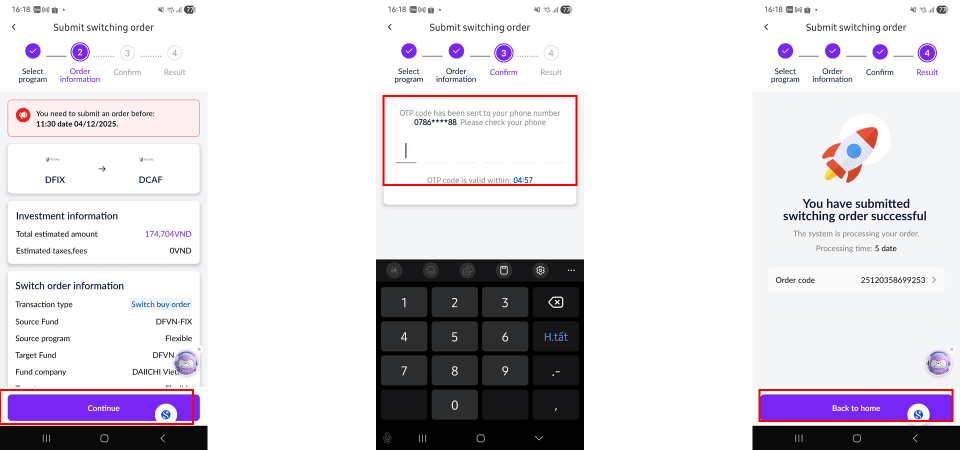
Step 4: Enter the quantity of fund certificates to switch (please note the required minimum quantity), then tap [Switch].
Step 5: Tap [Continue], then enter the OTP to confirm the switch.
2. Monitoring Fund Certificate Orders
Step 1: Log in to the San Xin Ha application, select [Products], and tap [Explore Funds].
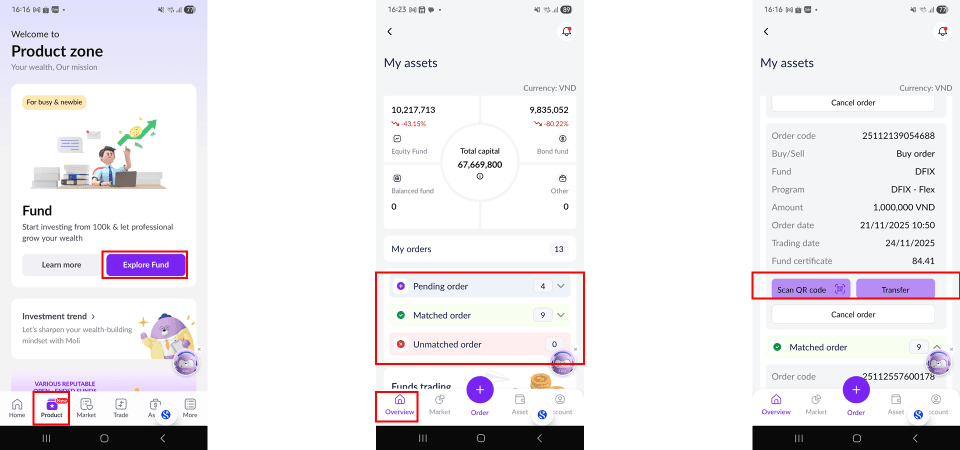
Step 2: Select [Overview], then choose [My Order] status as needed:
+ Pending Orders: Displays orders waiting to be matched. You may perform [Transfer], [Scan QR], or [Cancel Order].
+ Matched Orders: Displays orders that have been successfully matched.
+ Unmatched Orders: Displays orders that were not matched
Step 3: Take actions on [Pending Order] as needed:
+ [Scan QR] or [Transfer]: Used to make payment for buying fund certificate. Only applicable for buy orders where the full payment has not yet been completed.
+ [Cancel Order]: Used to cancel a transaction. Select [Cancel Order] and confirm by selecting [Yes] to complete the cancellation.
3. Open-end fund Asset Status
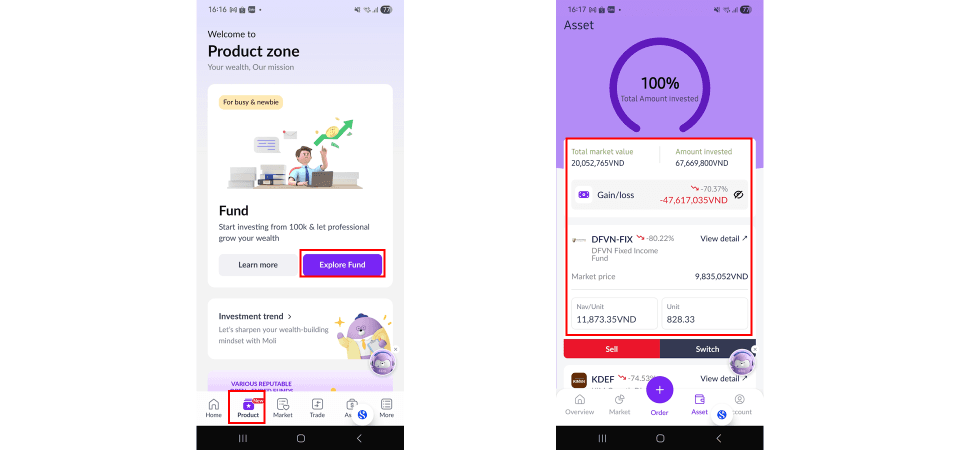
Step 1: Log in to the San Xin Ha application, select [Products], and tap [Explore Funds].
Step 2: Under [Assets], you can view profit/loss and total invested capital.
4. Fund Investment Performance
Step 1: Log in to the San Xin Ha application, select [Products], and tap [Explore Funds].
Step 2: Under [Overview], select [Top Performance] to view investment results.
Updated: 19 Sept 2026