
Check Securities Portfolio
The Securities Portfolio screen is where you can track the stock symbols you currently hold. There are two ways to monitor your portfolio:
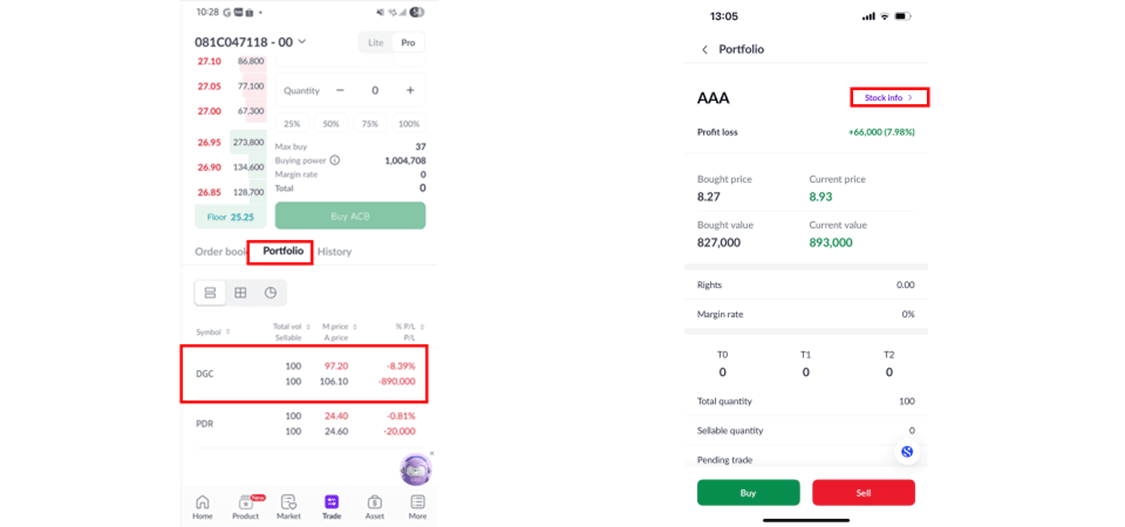
Method 1: Quick lookup on the [Trade] screen.
Step 1: On the main screen, select [Trade].
Step 2: On the [Trade] screen, choose [Portfolio] to quickly view the stock symbols you own.
Step 3: Select the trading sub-account: [00 – Cash Sub-account] or [01 – Margin Sub-account].
 Method 2: Full information lookup on the [Asset] screen.
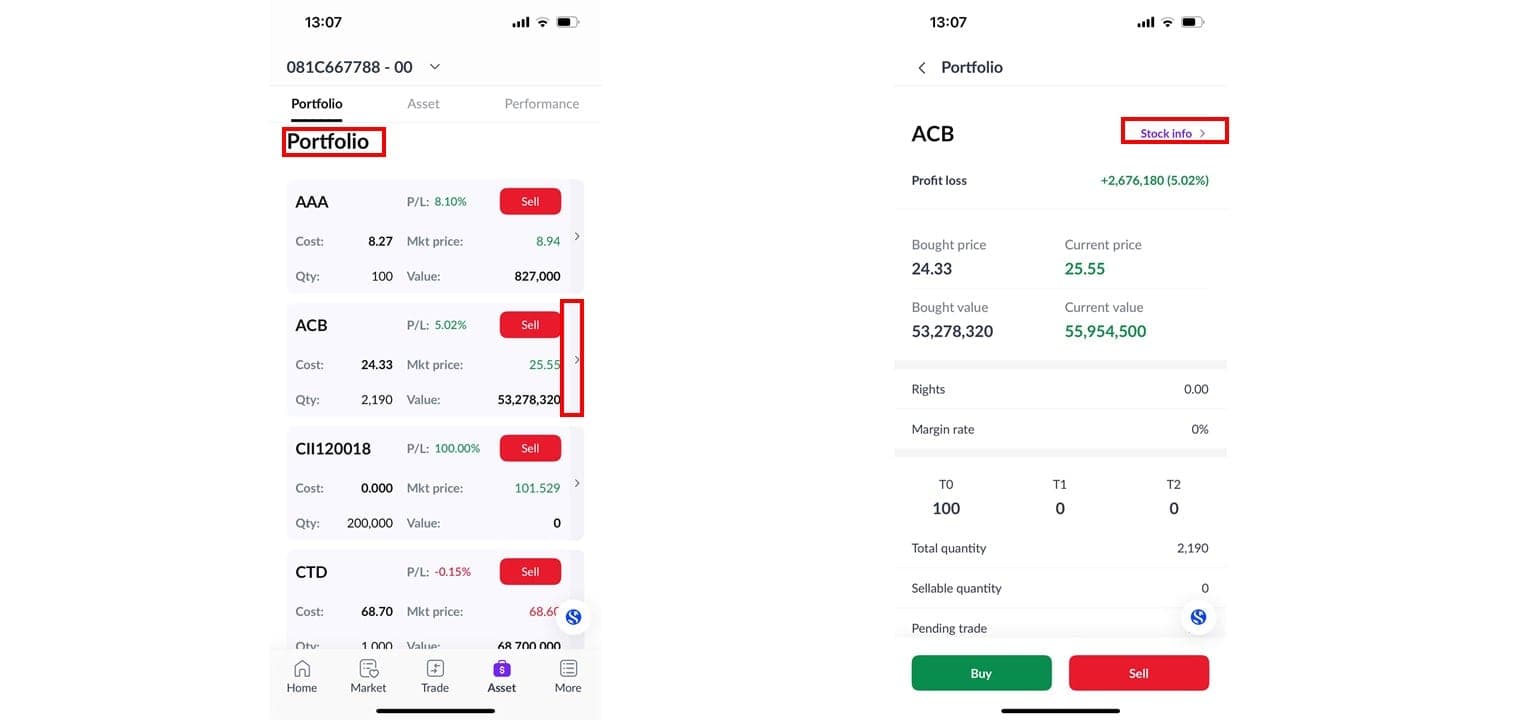
Step 1: On the main screen, select [Asset].
Step 2: On the [Asset] screen, choose [Portfolio] to view the stock symbols.
Step 3: Select the trading sub-account: [00 – Cash Sub-account] or [01 – Margin Sub-account].
Notes:
If you need to view detailed portfolio information, tap on the details to track the specific stock symbols you’ve selected and trade using the [Buy/Sell] buttons. You can also monitor detailed information related to the stocks.
The quantity shown only reflects the actual number of shares you hold and can trade, excluding the shares that are pending settlement.
Check Cash Balance and Securities Balance
The [Asset] screen is where you can track changes in your assets, including cash, securities, and liabilities. You can check your cash balance and securities balance in two ways:
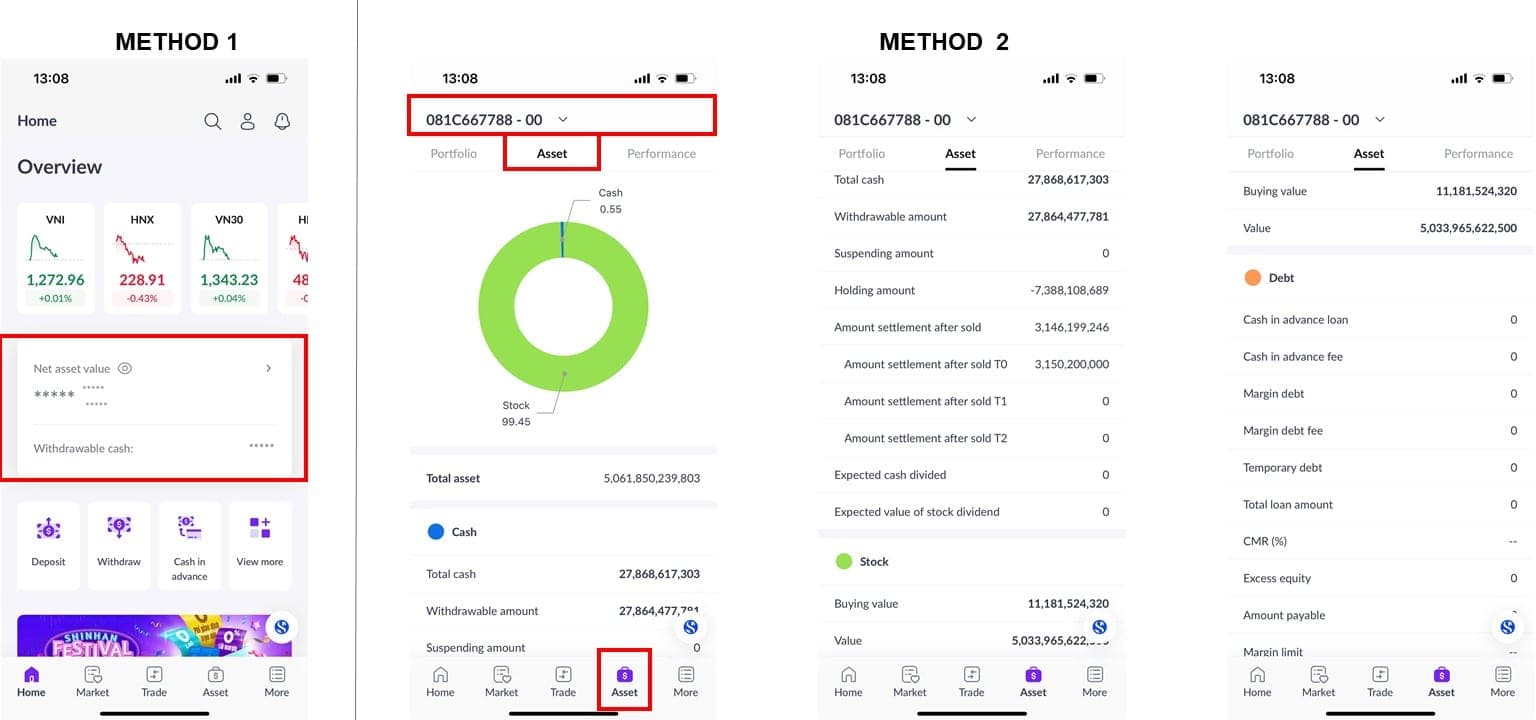
Method 1: On the [Home] screen, you can quickly track your Net Assets, Portfolio Profit/Loss, and Available Cash. To view these, tap the [Hide/Show] button for quick access.
Method 2: View full asset details on the [Asset] screen.
Step 1: On the main screen, select [Asset].
Step 2: On the [Asset] screen, choose [Asset] to view detailed asset movements.
Step 3: Select the trading sub-account: [00 – Cash Sub-account] or [01 – Margin Sub-account].
Notes: In addition to monitoring your Assets and Portfolio, you can also track your account’s trading performance in real-time by selecting [Performance]. This includes information such as:
Net Asset Changes
Profit/Loss over time
Portfolio Allocation by sector or stock
Profit/Loss from individual securities
Updated: 19 Sept 2026