Help Center

Step-by-step guides for every action on your Shinhan account, apps and products.

  1. Help Center
  2. Apps &Tools
  3. S-Era
  4. S-Era News guide

S-Era News guide

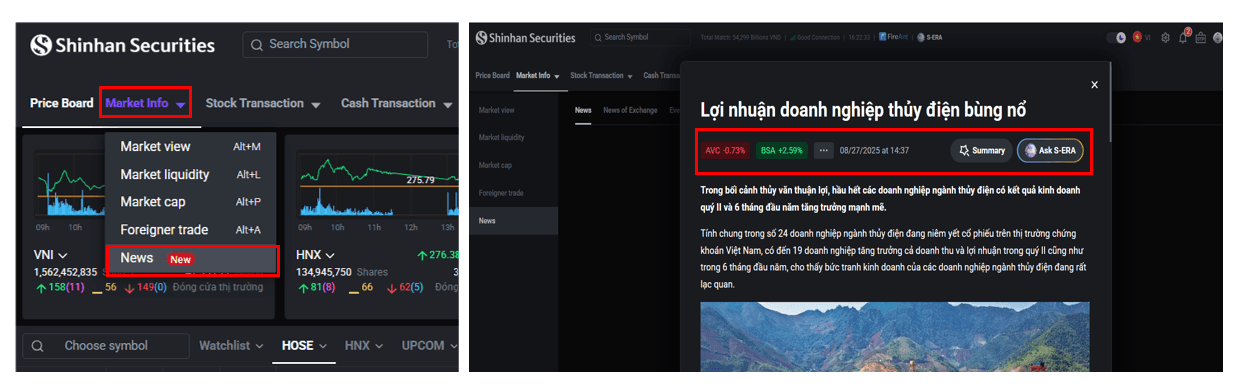
  1. On the Price Board screen → Market Info menu → News
  2. Click a news title to open the article popup.
  3. Inside the popup:
    • View related stock prices (e.g., AVC, BSA)
    • Summary button: Get a quick article summary
    • Ask S-ERA button: Request AI-based analysis or ask follow-up questions
S-Era News guide

Updated: 19 Sept 2026

Head office

18th Floor, The Mett Tower, 15 Tran Bach Dang, An Khanh Ward, Ho Chi Minh City

Hanoi Branch

2nd Floor, LeadVisors Building, 41A Ly Thai To, Hoan Kiem Ward, Hanoi City

Connect with Shinhan Securities

© 2026 Shinhan Securities Vietnam Co., Ltd